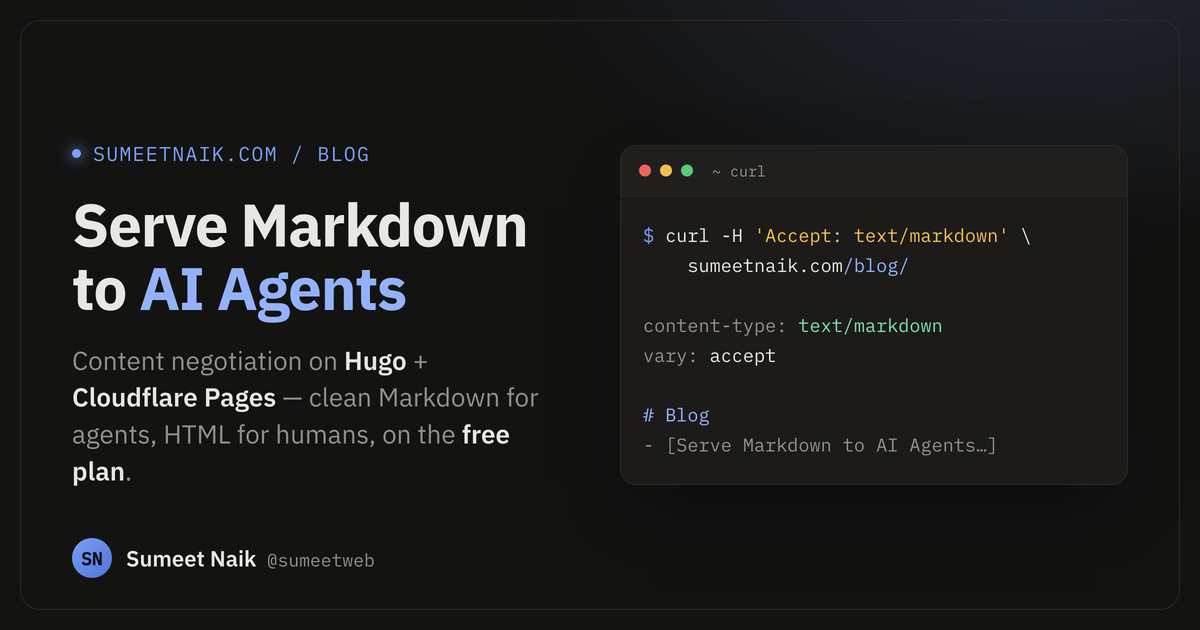
AI agents, LLM crawlers, and CLI tools don’t want your HTML. They want the content — headings, lists, links — without the nav bars, the theme toggles, and the 40 KB of markup around it. The polite way to give it to them is content negotiation: when a client sends Accept: text/markdown, hand back Markdown; otherwise, serve HTML like normal.
The catch: content negotiation branches on a request header, and a static host can’t do that. A _headers file on Cloudflare Pages only sets response headers by path — it can’t look at what the client asked for. So for years the answer was “use a real server.”
Cloudflare offers a path here, too: a toMarkdown conversion utility on Workers AI that turns documents into Markdown on demand. It’s a fine tool, but a different job — it converts arbitrary files at request time (and image conversions can dip into Workers AI billing), and it means adding a Workers AI binding as a dependency. For serving your own site’s pages, you don’t need it.
You don’t need any of that. This post shows how to do it on Hugo + Cloudflare Pages, entirely on the free plan, with:
- Hugo emitting a
.mdtwin of every page at build time, and - One small Cloudflare Pages Function that swaps HTML for Markdown when — and only when — a client asks for it.
The end result:
$ curl -sD- -H 'Accept: text/markdown' https://sumeetnaik.com/blog/
HTTP/2 200
content-type: text/markdown; charset=utf-8
vary: accept
x-markdown-tokens: 32

# Blog

- [Serve Markdown to AI Agents ...](/blog/markdown-for-ai-agents-hugo-cloudflare-pages/) — 2026-07-14
...
A browser hitting the same URL gets HTML, untouched.
The shape of the solution
Two pieces, and they’re independent:
- Build time (Hugo): generate
index.mdnext to everyindex.html. Static files, cached at the edge like anything else. - Request time (Pages Function): a tiny middleware that reads
Accept, and if the client wants Markdown, serves the pre-built.mdinstead.
Because the Markdown is pre-rendered, the function does almost no work — it just picks which file to return. That keeps it fast and well within the free tier’s limits.
Step 1 — Make Hugo emit Markdown for every page
Hugo’s output formats let one page render to multiple files. Define a MARKDOWN format and turn it on for every page kind in your site config (hugo.toml):
[outputs]
  home    = ["HTML", "RSS", "MARKDOWN"]
  section = ["HTML", "MARKDOWN"]
  page    = ["HTML", "MARKDOWN"]

[outputFormats.MARKDOWN]
  mediaType   = "text/markdown"  # -> ".md" suffix
  baseName    = "index"          # -> <path>/index.md, beside index.html
  isPlainText = true             # don't run it through the HTML escaper
  notAlternative = true          # keep it out of <link rel=alternate> discovery
baseName = "index" is the important bit: it drops index.md right next to each index.html, so /blog/my-post/ gets a sibling /blog/my-post/index.md. Easy to map to later.
Step 2 — Write the Markdown templates
Output formats need templates. Hugo picks a template by name + format, so a template ending in .markdown.md only ever renders the MARKDOWN format and won’t collide with your HTML layouts. You need three generic ones.
A single page — layouts/_default/single.markdown.md. .RawContent is the original Markdown source of the page, minus front matter — exactly what an agent wants:
# {{ .Title }}
{{ with .Date }}{{ if not .IsZero }}
_{{ .Format "January 2, 2006" }}_
{{ end }}{{ end }}
{{ .RawContent }}
A section list — layouts/_default/list.markdown.md:
# {{ .Title }}
{{ with .RawContent }}
{{ . }}{{ end }}
{{ range .Pages }}- [{{ .Title }}]({{ .RelPermalink }}){{ with .Date }}{{ if not .IsZero }} — {{ .Format "2006-01-02" }}{{ end }}{{ end }}
{{ end }}
The home page — layouts/index.markdown.md. Home pages are usually bespoke, so build it from your site params / menus rather than .RawContent:
# {{ .Site.Params.name }}

{{ .Site.Params.intro }}

## Pages
{{ range .Site.Menus.main }}
- [{{ .Name }}]({{ .URL }}){{ end }}
Run hugo and you’ll see index.md files appear throughout public/. That’s the generic case done.
The gotcha: pages that live in front matter
Here’s the trap almost every Hugo site hits. Many “pages” store their content in front matter, not in the Markdown body — a /uses page with a groups: list, a /resume with jobs:, a /now with sections:. For those, .RawContent is empty, and the generic template above gives you a lonely # Title with nothing under it.
The fix is one Markdown template per custom layout, mirroring what the HTML template does — just emitting Markdown instead of <div>s. If your resume page renders from a jobs array in the HTML layout, add layouts/_default/resume.markdown.md:
# {{ .Title }}

{{ .Params.sub }}

## Experience
{{ range .Params.jobs }}
### {{ .title }}

_{{ .dateRange }}_ — {{ .meta }}

{{ range .points }}- {{ . }}
{{ end }}{{ end }}
Same idea for a uses page (delimit, nested range) or a now page. Whatever structured data your HTML layout reads, your Markdown layout reads the same fields. Hugo resolves <layout>.markdown.md automatically for any page whose front matter sets layout: "resume" (etc.).
Rule of thumb: for every custom HTML layout you have, check whether the content is in the body or the front matter. Body content → the generic
single.markdown.mdcovers you. Front-matter content → write a matching*.markdown.md.
Step 3 — The Cloudflare Pages Function
Now the negotiation. Drop a single file at functions/_middleware.js in your repo root — Cloudflare Pages auto-detects the functions/ directory, no config, no wrangler.toml, no dependencies. _middleware.js runs on every request.
export async function onRequest(context) {
  const { request, next } = context;

  const accepts = request.headers.get("Accept") || "";
  // Require markdown to be explicitly acceptable — a bare `*/*` keeps HTML.
  if (!/text\/markdown/i.test(accepts)) {
    return next();
  }

  const url = new URL(request.url);
  const path = url.pathname;

  let mdPath;
  if (path.endsWith("/")) {
    mdPath = path + "index.md";
  } else if (!/\.[a-z0-9]+$/i.test(path)) {
    mdPath = path + "/index.md";        // extensionless page URL
  } else {
    return next();                      // real file (css, rss.xml, ...) — leave it
  }

  const mdUrl = new URL(url);
  mdUrl.pathname = mdPath;

  // Fetch the static .md that Hugo built for this page.
  const res = await next(new Request(mdUrl, request));

  // If there's no .md for this path, fall back to HTML. A missing asset can be a
  // 404 (production) OR the root index.html served with status 200 (wrangler
  // dev), so reject anything that isn't actually markdown — don't trust status.
  const type = res.headers.get("content-type") || "";
  if (!res.ok || /html/i.test(type)) {
    return next();
  }

  const body = await res.text();
  const headers = new Headers(res.headers);
  headers.set("Content-Type", "text/markdown; charset=utf-8");
  headers.set("Vary", "Accept");
  headers.delete("Content-Length");                 // let the runtime recompute
  headers.set("x-markdown-tokens", String(Math.ceil(body.length / 4)));

  return new Response(body, { status: 200, headers });
}
A few things worth calling out:
context.next(request)is the key trick. Called with no argument it continues the pipeline for the current URL; called with aRequestfor a different URL, it fetches that static asset instead. That’s how we grabindex.mdwithout a second network hop. It does not re-enter the middleware, so there’s no infinite loop.- We require
text/markdownliterally. A browser sendsAccept: text/html,...,*/*;q=0.8, which doesn’t match, so browsers are never affected. Agents opt in explicitly. x-markdown-tokensis a courtesy header. There’s no tokenizer at the edge, sochars / 4is the standard rough estimate for English — good enough for a client to decide whether to fetch.
The bug you’ll hit if you skip the content-type check
When the .md doesn’t exist, you’d expect a clean 404. But wrangler pages dev serves the root index.html with status 200 as a fallback — so a naïve if (!res.ok) check passes, and you happily wrap HTML in a text/markdown content-type. I hit exactly this while testing a bogus URL. Checking that the fetched asset’s content-type isn’t HTML fixes it for both dev and production. Don’t trust the status code alone.
Step 4 — Tell caches the response varies
One header keeps CDNs honest. Add Vary: Accept so a cache never serves the Markdown variant to a browser (or vice-versa). The function already sets it on Markdown responses; add it site-wide for the HTML side via static/_headers:
/*
  Vary: Accept
Test it locally
Build, then run Cloudflare’s own dev server against the output with the function wired in:
hugo
npx wrangler pages dev public --port 8788
Then exercise both paths:
# Markdown for agents
curl -sD- -H 'Accept: text/markdown' http://localhost:8788/blog/ | head

# HTML for everyone else — unchanged
curl -sD- http://localhost:8788/blog/ | head

# Real files are left alone
curl -sD- -H 'Accept: text/markdown' http://localhost:8788/rss.xml | head
Check: Content-Type: text/markdown, an x-markdown-tokens header, and a Markdown body on the first; plain HTML on the second; and your feed untouched on the third. A non-existent URL should fall back to HTML, not a Markdown-labelled 404.
Why this stays free
Nothing here touches a paid feature:
- Hugo’s extra output is just more static files.
- Pages Functions are included on the free plan (a generous daily request allowance), and this one does trivial work — read a header, fetch a pre-built file, set three headers.
- No KV, no D1, no Workers paid tier, no build plugins.
Wrapping up
Three moving parts — an output format, a handful of *.markdown.md templates, and ~30 lines of middleware — and every page on your site now speaks Markdown to anything that asks for it, while humans keep getting the full experience. It pairs nicely with an agents.md and Link: rel="describedby" headers if you want to go further in making your site legible to machines.
The two things I’d remember if you’re adapting this to your own theme: write a Markdown template for every front-matter-driven layout, and guard on the fetched content-type, not the status code. Everything else is mechanical.